
Environmental Signage: Merging Art and Function in Public Spaces

Are you curious about how art and function come together in public spaces? In this article, we will explore the world of environmental signage and its role in enhancing public areas.

Discover how creative signage solutions can create a sense of place and captivate your attention. Find out the benefits of incorporating artistic elements in public signage.

Get ready to delve into the fascinating world of environmental signage and its ability to merge art and function seamlessly.

The Role of Environmental Signage in Public Spaces

The role of environmental signage in public spaces is to provide information and enhance the overall aesthetic.

When you visit a park or a museum, you rely on signage to guide you and inform you about the different areas and exhibits. Signage helps you navigate through the space, ensuring that you don’t get lost and miss out on anything. It also provides important information such as safety instructions and rules that need to be followed.

Additionally, environmental signage is designed to enhance the aesthetic appeal of public spaces. The use of colors, typography, and design elements can create a visually pleasing environment that complements the overall atmosphere. It adds to the charm and character of the space, making it more enjoyable for you and other visitors.

The Intersection of Art and Function in Signage Design

Explore how art and practicality come together in the design of signs.

When you think of signage, you may envision plain and utilitarian designs that serve a specific purpose. However, in today’s world, signs have become an opportunity for artistic expression while still fulfilling their practical function.

From vibrant murals on building facades to creatively shaped directional signs, art and practicality are seamlessly merging in signage design. These visually appealing signs not only grab attention but also enhance the overall aesthetic of public spaces.

Enhancing Public Spaces Through Creative Signage Solutions

When thinking about creative signage solutions, it’s fascinating to see how they can transform and elevate the atmosphere of a place. With the right design and placement, signage can completely change the way people perceive and interact with a public space.

Imagine walking through a park and coming across a beautifully crafted sign that not only provides information but also adds a touch of art and creativity to the surroundings. It could be a mural on a wall, a sculpture that doubles as a directional sign, or even a digital display that showcases local artwork.

These creative signage solutions not only serve their functional purpose but also enhance the overall aesthetic appeal of the space, making it more inviting and engaging for visitors.

How Environmental Signage Can Create a Sense of Place

Imagine walking through a park and experiencing the way environmental signage seamlessly blends with the natural surroundings, creating a strong sense of place.

As you stroll along the winding paths, you notice signs made from sustainable materials, carefully placed to inform and guide visitors while respecting the beauty of the environment.

These signs are not just informative, but also works of art, designed to enhance the overall aesthetic of the park. The colors and patterns chosen for the signage complement the surrounding foliage, seamlessly integrating into the landscape.

Each sign tells a story, whether it’s about the history of the park, the native wildlife, or the importance of conservation.

This harmonious blending of functionality and artistic expression not only enhances your experience as a visitor but also fosters a deeper connection to the natural world around you.

The Benefits of Incorporating Artistic Elements in Public Signage

Adding artistic elements to public signs enhances their visual appeal and creates a more engaging experience for you. When you come across a sign that incorporates artistic elements, such as vibrant colors, unique typography, or creative illustrations, it immediately catches your attention. It stands out from the ordinary, mundane signs you see every day.

This visual appeal not only makes the sign more attractive but also increases its effectiveness in conveying important information. Artistic elements can help to create a stronger connection between you and the message being communicated. It adds a touch of creativity and personality to the sign, making it more memorable and impactful.

Whether it’s a sign in a park, on a street corner, or in a public building, adding artistic elements to public signs enhances your experience and makes the environment more visually stimulating.

Conclusion

In conclusion, incorporating environmental signage that merges art and function in public spaces brings numerous benefits.

By blending artistic elements with informative and directional signage, these spaces become more visually appealing and engaging for visitors. The creative design of signage enhances the overall aesthetic of the environment, creating a sense of place and identity.

Additionally, this approach encourages a deeper appreciation for art and design, making public spaces more enjoyable and memorable for everyone.

So next time you’re in a public space, take a moment to appreciate the beauty and functionality of the signage around you.

Hello world!

Welcome to WordPress. This is your first post. Edit or delete it, then start writing!

Welcome to WordPress. This is your first post. Edit or delete it, then start writing!

Welcome to WordPress. This is your first post. Edit or delete it, then start writing!

Welcome to WordPress. This is your first post. Edit or delete it, then start writing!


How to Edit a PDF using an Online PDF Editor

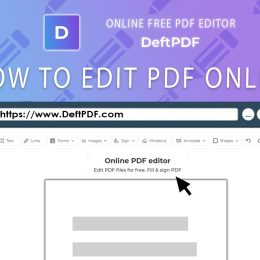
PDFs, or Portable Document Format files, have become a staple in digital communication and document sharing. With their widespread use across various industries, the need for efficient and accessible PDF editing solutions has never been greater. In this article, we’ll explore how to edit a PDF using an online PDF editor, providing users with the tools and techniques to modify PDF documents effortlessly to get how to edit pdf file.

Introduction to Online PDF Editors

Online PDF editors are web-based tools that allow users to edit, modify, and manipulate PDF files directly from their web browsers. These tools offer a convenient and accessible solution for individuals and businesses seeking to make changes to PDF documents without the need for specialized software.

What is a PDF?

A PDF, or Portable Document Format, is a file format developed by Adobe that preserves the formatting and layout of a document, regardless of the software, hardware, or operating system used to view it. PDFs are widely used for sharing documents across different platforms while maintaining their original appearance.

The Need for Online PDF Editors

Traditional methods of PDF editing often require expensive software or specialized skills, making them inaccessible to many users. Online PDF editors address this gap by providing a user-friendly and cost-effective solution for editing PDFs directly in a web browser.

Overview of Online PDF Editing Tools

Online PDF editing tools offer a wide range of features and functionalities, including text editing, image manipulation, annotations, and collaboration capabilities. From basic text corrections to advanced formatting options, these tools cater to the diverse needs of users seeking to modify PDF documents.

Accessing and Uploading PDF Files

The first step in editing a PDF using an online PDF editor is to access the tool and upload the desired PDF file.

Navigating to the Online PDF Editor

Begin by navigating to the website or platform hosting the online PDF editor. Many online PDF editors offer free or paid versions, each with varying features and capabilities. Choose the editor that best suits your needs and preferences.

Selecting and Uploading the PDF File

Once on the online PDF editor platform, locate the option to upload a file. Select the PDF file you wish to edit from your computer or cloud storage account and upload it to the editor. Depending on the size of the file and your internet connection, the upload process may take a few moments.

Understanding File Size and Compatibility

It’s important to note that some online PDF editors may have limitations on file size or compatibility with certain PDF features. Before uploading your PDF file, review the editor’s specifications to ensure compatibility and avoid any potential issues during the editing process.

Editing Tools and Features

Online PDF editors offer a plethora of tools and features for modifying PDF documents to suit your needs.

Text Editing and Formatting Options

One of the primary features of online PDF editors is the ability to edit text directly within the document. Users can add, delete, or modify text, as well as adjust font styles, sizes, and colors to customize the appearance of the document.

Image and Graphic Manipulation Tools

In addition to text editing capabilities, online PDF editors often include tools for manipulating images and graphics within the document. Users can resize, crop, rotate, or replace images to enhance the visual appeal of the PDF.

Annotations, Comments, and Markup Features

Collaboration is made easy with annotation and markup tools available in many online PDF editors. Users can add comments, highlight text, draw shapes, and insert stamps or signatures to provide feedback or make revisions to the document.

Saving and Exporting Edited PDFs

Once you’ve made the necessary edits to your PDF document, it’s time to save and export the edited file.

Saving Changes and Versions

Most online PDF editors allow users to save their changes directly to the original PDF file or create a new version of the document. Choose the option that best suits your workflow and preferences to ensure that your edits are preserved.

Exporting to Different File Formats

In addition to saving changes to the PDF file format, online PDF editors often offer the ability to export the edited document to other file formats such as Word, Excel, or PowerPoint. This can be useful for further editing or sharing the document with others who may not have access to PDF viewing software.

Downloading and Sharing the Edited PDF

Once you’ve saved or exported the edited PDF, download the file to your computer or cloud storage account for safekeeping. You can then share the edited document with others via email, file-sharing platforms, or collaborative tools to facilitate further review or distribution.

Tips for Efficient and Effective PDF Editing

Maximize your productivity and effectiveness when editing PDFs using online PDF editors with these helpful tips and techniques.

Organizing and Managing Files

Keep your PDF files organized by creating folders or directories to store documents related to specific projects or categories. This makes it easier to locate and access files when needed and minimizes clutter in your workspace.

Utilizing Advanced Editing Techniques

Explore the full range of editing tools and features available in the online PDF editor to unlock its full potential. Experiment with advanced techniques such as batch processing, OCR (Optical Character Recognition), and document merging to streamline your workflow and achieve desired results efficiently.

Maintaining Security and Privacy

When working with sensitive or confidential documents, prioritize security and privacy by choosing reputable online PDF editors with robust encryption and data protection measures. Avoid sharing sensitive information via unsecured channels and regularly update your passwords and access controls to prevent unauthorized access to your documents.

In conclusion, online PDF editors offer a convenient and accessible solution for editing PDF documents directly from your web browser. By following the steps outlined in this article and leveraging the tools and features available in online PDF editors, you can effortlessly modify PDFs to suit your needs, enhance collaboration, and streamline your workflow.